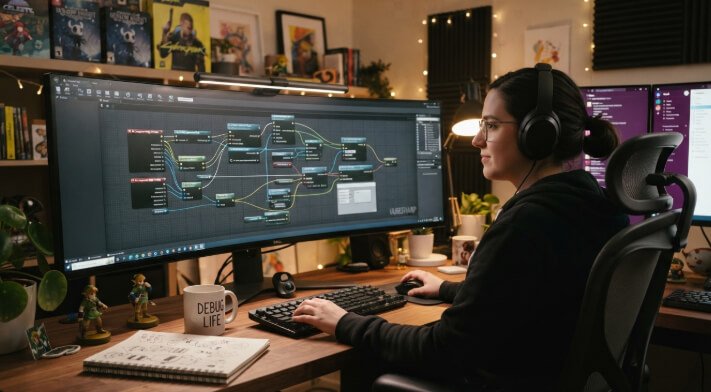
A no-code game maker is software that allows people to make games without writing any code. Simple visual tools, pre-existing assets, and intuitive controls make it easy to bring your game idea to life. You can concentrate on your game idea rather than complex programming.
Have you ever had an idea for a really fun game, but had no way to make it a real game? You don’t have to be a developer to begin. Astrocade brings game development to the average person and allows gamers to transform their game ideas into playable adventures. It provides a basic platform through which beginners can delve into game development and play around with a few narratives.
Making games can be a really positive learning experience if the process is straightforward. You can play around with characters, scenes, and even game mechanics without dedicating hours to learning to code. You can also test out your concepts and iterate while you’re building. It helps take the pressure off turning a simple idea into a playable game and just have fun creating.
Easy Game Creation
Game development is intimidating when you start with nothing. You know you want to create a platformer or puzzle game, an adventure or just a run-of-the-mill arcade game, but don’t have a clue where to start. A visual game builder takes much of that early disorientation out of the equation by equipping you with more general-purpose tools.
You don’t need to code everything line by line for even ordinary things, as in many cases you can rely on scenes, characters, objects, templates and visual properties. For example, you can place a character on a game screen, add obstacles, and make basic moves with just a few clicks. That means more of your time can be dedicated to thinking about your game, and less time thinking about the tech.
No Coding Required
Among the highest benefits of a no-code game maker is that you can build game mechanics without needing to know how to code traditionally. Visual interfaces help you define actions and interactions such as through menus, options, events, or other controls suitable for beginners.
That doesn’t mean you lose control of your project. You still get to decide how characters move, how players interact with objects, and what happens when they do. For novices, this might be a feasible strategy to grasp game development concepts in their entirety before acquiring more advanced programming skills.
Drag Drop Tools
With drag-and-drop tools, you can place characters, scenery, objects, buttons, and other parts of a game directly into a scene. There’s no need to create every element from the ground up.
This approach also makes it quicker to try out ideas. Shift an object, run the game, then fine-tune its placement all in a short time. Templates and premade assets can help you get a new project started with less setup.
Build Fun Games
Once you have the basic tools down, you can begin turning rudimentary concepts into playable experiences. A game might include such things as collecting objects, dodging hazards, solving puzzles, finishing levels, or achieving a defined goal. It all depends on the features of the platform you decide to go with.
The key is to think small rather than coming up with a big game right off the bat. Make one level, or one simple mechanic. Add more characters, challenges, sounds, levels, visual elements after that. This softens learning and allows you to have something to play with much faster.
Share Games Easily
Creating a game is just the first step. Chances are, you want to share your work with friends, classmates, customers, or other gamers to play your game. The majority of today’s game building platforms have some form of publishing or sharing functionality that at least a portion of this phase can be handled for you.
Some platforms enable you to publish a game on normal web, on your own site, or even you can send out a direct link. You should test your game thoroughly before you release it the controls, levels, visuals, interactions, and so on are working properly. A couple of rounds of testing can make a big difference in how the final player experiences the game.
Conclusion
A no-code method can help make game development more friendly to those with creative minds but who couldn’t code if their lives depended on it. Thanks to visual editors, templates, drag and drop components and simple game mechanics you’ll be able to spend more time trying out your ideas and less time worrying about complex code. You can even build a game like Endless Bus Simulator along the way to learning how different game mechanics come together.
The best way to learn is to start building. Pick a simple idea, make a small game and test it, then keep iterating until you have a playable game. As you get more comfortable, you’ll start doing larger, more ambitious projects.
FAQs
What is a no-code game maker?
A no-code game builder is software that allows you to create games without coding. It uses visual interfaces, pre-designed templates, drag-and-drop tools, and event-based commands instead.
Can beginners create games without coding?
Yes. A lot of game development platforms are designed for the novice and have visual tools to simplify common development tasks. You can begin doing simple projects and learn more advanced ideas as you become more skilled.
See also: Enhancing Business Protection with Commercial CCTV Cameras
What types of games can I create?
This varies with the platform and its capabilities. Typical examples are: platform games, puzzles, arcade games, interactive novels, educational titles, and basic adventures.
Do I need to create all my game assets myself?
Not necessarily. Many game engines provide libraries of characters, environments, sounds, objects and other assets. You can also make or import your own assets if the engine allows.
5. Can I share a game I create?
A number of platforms offer options for publishing or sharing finished games. Depending on the tool, you might publish on the web, share a play link, or use some other agreed-upon method of distribution.